
AI Text to Video Generator Free
AI Text to Video Generator Free: Best Tools & How to Use Them in 2026
Looking for an AI text to video generator free tool that can turn written ideas into engaging videos without complicated editing software?
Artificial intelligence has made video creation more accessible to content creators, digital marketers, small businesses, educators, and social media managers.
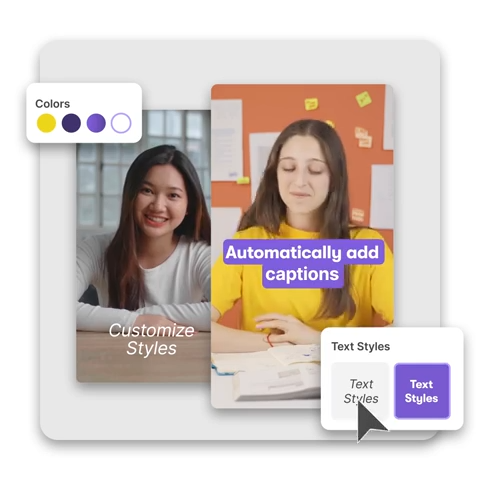
Instead of filming every scene manually, you can use AI-powered video tools to create short visual clips, develop video drafts, add captions, and prepare content for platforms such as YouTube, Instagram, Facebook, and TikTok.
In this guide from ObeySoft, discover how free AI text-to-video generators work, which tools are worth exploring, how to write effective prompts, and what to check before using generated videos commercially.
What Is an AI Text to Video Generator?
An AI text-to-video generator is a software tool that uses artificial intelligence to create video content from written descriptions, instructions, or scripts.
For example, you might enter:
“Create a cinematic video of a modern office overlooking a city skyline at sunrise, with natural lighting and smooth camera movement.”
A generative AI video tool interprets the prompt and attempts to produce visual content based on the description.
Different tools work in different ways. Some generate entirely new visual scenes, while others assemble stock footage, graphics, narration, and captions into an edited video.
Understanding this distinction helps you choose the right tool for your project.
Can You Generate AI Videos for Free?
Yes, some AI video platforms provide free access, trial credits, or limited features.
However, free access does not always mean unlimited video generation.
Common restrictions include:
- Limited generation credits
- Maximum video duration
- Watermarked exports
- Restricted video resolution
- Limited access to advanced models
- Queuing or processing limits
- Restrictions on commercial use
Before choosing a platform, review its current pricing page and licensing conditions.
Best Free and Freemium AI Text-to-Video Tools
1. CapCut – AI Video Creation and Editing
CapCut provides AI-assisted video creation workflows alongside a video editor for captions, scene timing, overlays, effects, and final adjustments.
It may be useful for social media creators who want to turn a written concept into a short video draft and edit the result.
Best for: Instagram Reels, TikTok content, social video drafts, and short promotional videos.
Website: https://www.capcut.com/
Access to particular AI features may vary by account, device, and region.
2. Canva AI – Text-Prompt Video Clips
Canva offers AI video creation features that allow users to describe a scene and generate short clips, subject to available access and usage limits.
Canva’s editor also supports text, graphics, layouts, and brand-focused content.
Best for: Social media graphics, short visual clips, presentations, and branded marketing content.
Website: https://www.canva.com/
Check the current plan requirements and available AI credits before starting.
3. InVideo AI – Script-Based Video Creation
InVideo AI helps users create video projects from written ideas and instructions.
It supports workflows for developing video content using scripts, visual assets, and editing tools.
Limited free access is available, but generation credits and export restrictions depend on the current plan.
Best for: Marketing explainers, informational videos, video drafts, and social media content.
Website: https://invideo.io/
4. Runway – Generative AI Video Creation
Runway offers AI-powered creative tools for visual generation and editing.
It is useful for creators who want to experiment with AI-generated visual scenes and creative video concepts.
Runway’s free-plan model access can change, and available generations may include watermarks or other limitations.
Best for: Creative visual experiments, short cinematic scenes, and AI video concept development.
Website: https://runwayml.com/
How to Create AI Videos From Text for Free
The general workflow is straightforward.
Step 1: Choose an AI Video Generator
Select a platform based on your video type, preferred aspect ratio, available credits, editing controls, and commercial licensing requirements.
Step 2: Write a Clear Text Prompt
Describe the subject, environment, action, camera movement, lighting, and desired visual style.
Avoid vague instructions such as “make a nice marketing video.”
Step 3: Select Video Settings
Where supported, choose the aspect ratio, resolution, duration, and generation model.
For example:
- 9:16 for vertical short-form videos
- 16:9 for widescreen YouTube videos
- 1:1 for square social media content
Step 4: Generate Your Video
Submit your prompt and allow the tool to process the request.
Generation time depends on the platform, model, current demand, and video complexity.
Step 5: Review and Edit
Check the generated video for distorted objects, unusual motion, inaccurate text, inconsistent scenes, and other issues.
Use an editor to refine timing, captions, music, or transitions where necessary.
Step 6: Export Your Video
Download or export the completed video using the options available under your plan.
Before publishing branded or commercial content, review applicable usage rights.
Example AI Text-to-Video Prompts
Product Marketing Video Prompt
“Create a cinematic product advertisement featuring a handmade wooden coffee table in a modern luxury living room. Use warm natural sunlight, realistic textures, slow camera movement, and elegant interior styling. Widescreen composition.”
Social Media Video Prompt
“Generate a vibrant vertical video showing a modern fashion boutique with stylish displays, smooth camera transitions, natural lighting, and a premium commercial look. Format 9:16.”
Travel Video Prompt
“Create a cinematic scene of a tropical beach at sunrise with calm ocean waves, palm trees, warm golden sunlight, and gentle aerial camera movement. Use realistic colors and a peaceful atmosphere.”
Business Promotion Prompt
“Generate a professional video of a small business team collaborating in a contemporary office. Include realistic workstations, natural lighting, subtle camera movement, and a trustworthy corporate atmosphere.”
These examples are starting points. Modify prompts to match your business, creative goals, and the capabilities of your selected platform.
Benefits of AI Text-to-Video Generators
Faster Creative Drafting
AI tools can reduce the time needed to produce initial visual concepts and short video drafts.
Lower Production Barriers
Small businesses and independent creators can experiment with video ideas without a full production crew.
Multiple Creative Variations
Users can try different visual styles, camera movements, and scene descriptions.
Social Media Content Creation
AI-assisted video workflows can help create material for Reels, Shorts, TikTok, and other video-based channels.
Product and Service Demonstrations
Businesses can create conceptual promotional visuals, although AI-generated demonstrations must not misrepresent actual product features or results.
Limitations of Free AI Video Generators
Free plans are useful for experimentation, but they may not be suitable for every professional project.
Some AI-generated clips contain visual inconsistencies, unrealistic movements, inaccurate product details, or other artifacts.
Long-form video creation often requires assembling multiple scenes and editing them manually.
Check whether your chosen service allows commercial usage, whether outputs include watermarks, and whether uploaded materials are handled according to your privacy requirements.
AI Video Generation for Digital Marketing and SEO
AI-generated videos can support an effective content marketing strategy when they provide genuine value.
Businesses can use videos to explain services, demonstrate concepts, answer common questions, or support educational content.
For video SEO, consider:
- Clear and descriptive video titles
- Relevant written descriptions
- Accurate captions and transcripts
- Helpful supporting webpage content
- Suitable thumbnails
- Relevant VideoObject structured data when applicable
- Properly accessible video hosting and playback
Videos can also support Answer Engine Optimization (AEO) by explaining questions clearly and providing transcripts visitors can read.
Generative Engine Optimization (GEO) focuses on reliable, accessible, well-organized information across digital content.
Simply generating AI videos does not guarantee search rankings, YouTube views, or mentions in AI-generated answers.
Free AI Video Generator vs. Paid AI Video Generator
Free access is often suitable for learning, testing prompts, and creating experimental clips.
Paid plans may provide additional generation credits, higher-resolution exports, longer videos, priority processing, and broader model access.
However, features vary by provider and change over time.
Choose a plan according to your production requirements rather than assuming a paid subscription automatically provides better results.
Final Thoughts
An AI text to video generator can help individuals and businesses explore creative video production without requiring advanced editing skills.
Tools such as CapCut, Canva AI, InVideo AI, and Runway offer different approaches to video creation, but their free access and limitations should be checked before use.
For the best results, write detailed prompts, review generated content carefully, and combine AI assistance with human editing.
Improve Your Digital Content Strategy with ObeySoft
Creating videos is only one part of an effective digital marketing strategy.
At ObeySoft, we focus on SEO, technical website optimization, digital marketing, AEO, and GEO strategies that help businesses improve online discoverability.
Contact us to discuss website optimization, content strategy, or AI search visibility.