
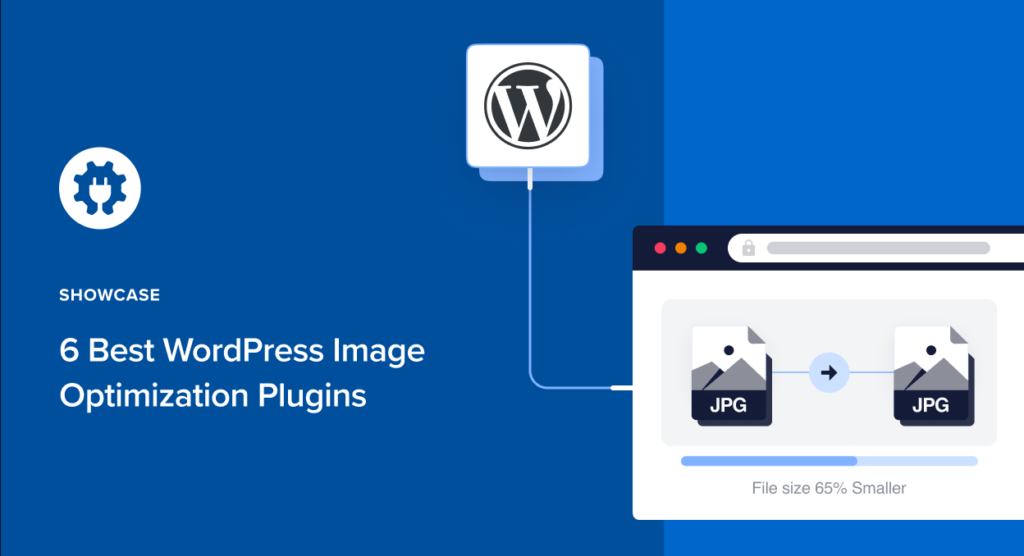
Crafting the Ultimate WordPress Website
Crafting the ultimate WordPress website requires more than
choosing an attractive theme and publishing a few pages. A successful website
combines strategic planning, responsive design, useful content, fast
performance, strong security, search optimisation and a clear conversion path.
Whether you are creating a business website, blog, portfolio, online store or
service platform, every design and development decision should support your
visitors and business objectives.
What Makes an Excellent WordPress Website?
An excellent WordPress website is fast, mobile-friendly, secure, accessible
and easy to navigate. It provides helpful content, answers customer questions
clearly and guides visitors towards an important action such as making a
purchase, submitting an enquiry or booking a consultation.
1. Define Your Website Strategy
Start by identifying the website’s purpose. A business website designed to
generate enquiries requires a different structure from an online store, news
website or personal portfolio.
Answer these questions before beginning the design:
- Who is the primary target audience?
- Which problems does the business solve?
- What information do potential customers need?
- What is the website’s main conversion action?
- Which products or services are most important?
- Which countries, cities or industries are being targeted?
- Who will update and maintain the website?
Clear answers help determine the required pages, functionality, content and
development budget.
2. Choose the Right Domain and Hosting
Select a domain name that is memorable, easy to type and relevant to the brand.
Avoid unnecessary hyphens, complicated spellings or names that could easily be
confused with another business.
A suitable WordPress hosting plan should provide:
- A supported PHP version
- MySQL or MariaDB compatibility
- HTTPS and SSL certificate support
- SSD or NVMe storage
- Automated backups
- Server-level caching options
- Malware monitoring
- Staging-environment support
- Reliable technical assistance
Avoid choosing hosting based only on the lowest introductory price. Renewal
cost, support quality, backup policies and server resources are also important.
3. Install the Latest Stable WordPress Version
Install a stable production release obtained from WordPress.org or a trusted
hosting platform. Beta and release-candidate versions are intended for testing
and should not normally be used for a live business website.
Configure HTTPS, administrator credentials, website title, timezone, permalink
structure and user roles immediately after installation.
Do not use “admin” as the administrator username. Use a unique account name,
a strong password and two-factor authentication.
4. Select a Fast and Flexible WordPress Theme
The right theme provides the design foundation without adding unnecessary code
or restricting future development. Select a maintained theme that supports the
current WordPress version.
Evaluate a theme based on:
- Responsive design
- Performance and code quality
- Accessibility features
- Compatibility with essential plugins
- Customisation options
- Developer documentation
- Update history and support
Use a child theme or a custom development method for code-level changes so that
important modifications are not lost during theme updates.
5. Plan a Clear Website Structure
A logical structure helps visitors find information and helps search engines
understand the relationship between pages.
A professional business website commonly includes:
- Home page
- About page
- Individual product or service pages
- Category or industry pages
- Portfolio or case studies
- Blog or resources section
- Frequently asked questions
- Contact page
- Privacy policy and other legal pages
Keep important pages close to the main navigation. Visitors should not need to
click through several unrelated pages to find a primary service.
6. Create a Consistent Visual Design
A professional website should use a consistent design system rather than
different colours, button styles and fonts on every page.
Define these elements before creating the complete website:
- Primary and secondary brand colours
- Heading and body fonts
- Button styles
- Form-field styles
- Spacing and section widths
- Image shapes and dimensions
- Icon style
- Desktop and mobile navigation
Use white space to separate information and avoid overloading pages with
animations, pop-ups or competing calls to action.
7. Design for Mobile Users First
A responsive website should adapt smoothly to different screen sizes. Test the
navigation, forms, buttons, images, tables and content sections on real mobile
devices whenever possible.
Mobile-design checks should include:
- Readable text without zooming
- Buttons large enough to tap accurately
- Simple mobile navigation
- Properly scaled and compressed images
- Forms that are easy to complete
- No unwanted horizontal scrolling
- Important contact actions visible and accessible
8. Improve Website Accessibility
Accessibility helps more people use the website, including visitors using
keyboards, screen readers or other assistive technologies.
Important accessibility practices include:
- Use descriptive image ALT text when an image conveys information.
- Maintain sufficient colour contrast.
- Use headings in a logical hierarchy.
- Add visible labels to form fields.
- Make navigation usable with a keyboard.
- Provide clear focus states for interactive elements.
- Avoid automatically playing disruptive audio or video.
- Use meaningful link text instead of “click here.”
Accessibility should be considered during design and development rather than
added only after the website is complete.
9. Optimise WordPress Performance
Website speed affects user experience, engagement and conversions. Start with
quality hosting and then optimise the website itself.
Useful performance improvements include:
- Compressing and correctly sizing images
- Using WebP or AVIF where appropriate
- Enabling page and browser caching
- Using PHP OPcache
- Minimising unnecessary JavaScript and CSS
- Removing unused plugins and themes
- Reducing third-party scripts
- Using a CDN for geographically distributed audiences
- Optimising database queries
- Loading off-screen media only when required
Do not install multiple plugins that perform the same caching or optimisation
task. Overlapping settings can break page layouts, forms and eCommerce functions.
10. Protect the WordPress Website
WordPress security requires continuous maintenance. Core software, themes,
plugins, PHP and server packages should remain supported and updated.
A practical security plan should include:
- Unique administrator accounts
- Strong passwords and two-factor authentication
- Limited user permissions
- HTTPS across the entire website
- Regular off-server backups
- Login attempt protection
- Malware and file-change monitoring
- Removal of unused plugins and themes
- A staging environment for major changes
- Tested backup restoration procedures
Avoid downloading premium themes or plugins from unauthorised sources because
modified software may contain malicious code.
11. Build an SEO-Friendly WordPress Foundation
SEO should be incorporated into the website structure, content and development
process. Installing an SEO plugin alone does not optimise the website.
Important WordPress SEO elements include:
- Descriptive and concise URLs
- Unique SEO titles and meta descriptions
- One clear primary heading for each page
- Logical H2 and H3 subheadings
- Helpful and original content
- Descriptive image ALT text
- Contextual internal links
- XML sitemap configuration
- Canonical tags
- Appropriate structured data
- Google Search Console connection
- Bing Webmaster Tools connection
Use Rank Math or another suitable SEO plugin to manage important technical
settings, but review its configuration carefully rather than enabling every
option automatically.
12. Prepare Content for SEO, AEO and GEO
Website discovery now includes traditional search results, featured answers,
voice assistants and AI-generated search experiences.
- SEO: Helps search engines discover, understand and rank pages.
- AEO: Provides clear answers for question-based and voice searches.
- GEO: Improves content clarity and credibility for generative
search systems.
To improve content quality:
- Answer the primary question near the beginning of the page.
- Use descriptive headings and clear language.
- Include original expertise, examples or case studies.
- Identify the business and content author clearly.
- Support important claims with trustworthy sources.
- Add FAQs based on genuine customer questions.
- Keep business information accurate and consistent.
There is no special schema or file that guarantees inclusion in an AI-generated
answer. A crawlable website with original, accurate and helpful information
provides the strongest foundation.
13. Design Clear Conversion Paths
Website traffic is valuable only when visitors understand what to do next.
Every important page should have a relevant call to action.
Conversion actions can include:
- Requesting a quote
- Calling the business
- Sending a WhatsApp message
- Submitting an enquiry form
- Booking an appointment
- Purchasing a product
- Downloading a useful resource
- Joining an email newsletter
Keep forms concise and request only the information required for the next step.
Explain what will happen after the form is submitted.
14. Configure Analytics and Webmaster Tools
Connect Google Search Console, Bing Webmaster Tools and an appropriate analytics
platform before or immediately after launch.
Monitor meaningful metrics such as:
- Organic search clicks
- Search impressions
- Click-through rate
- Landing-page engagement
- Form submissions
- Phone and WhatsApp enquiries
- Product purchases
- Conversion rate
Avoid judging success only by total page views. Qualified enquiries, sales and
other business outcomes are generally more meaningful.
15. Maintain and Improve the Website
Launching the website is the beginning of its lifecycle. Schedule ongoing
maintenance to protect its security and performance.
A maintenance plan can include:
- WordPress core, theme and plugin updates
- Daily or weekly backups
- Security and malware scans
- Broken-link checks
- Form-submission testing
- Performance monitoring
- Content updates
- Search Console reviews
- User-account audits
- Backup-restoration testing
Ultimate WordPress Website Launch Checklist
- Website purpose and target audience are clearly defined.
- HTTPS works across the entire website.
- Desktop and mobile navigation have been tested.
- Forms deliver enquiries successfully.
- Phone, email and WhatsApp links work correctly.
- Page titles and meta descriptions are configured.
- Only one primary H1 is used on each page.
- Images are compressed and include appropriate ALT text.
- XML sitemap is accessible.
- Search Console and Bing Webmaster Tools are connected.
- Analytics and conversion events are configured.
- Unnecessary plugins, themes and test content are removed.
- Automatic backups are enabled and tested.
- Privacy and legal pages are published.
- The website has been tested in major browsers.
Frequently Asked Questions
What makes a professional WordPress website?
A professional WordPress website combines responsive design, helpful content,
fast performance, clear navigation, strong security and focused calls to action.
How much does a WordPress website cost?
Cost depends on the design, number of pages, functionality, content, eCommerce
requirements and custom integrations. A basic business website costs less than
a customised marketplace or membership platform.
How long does it take to build a WordPress website?
A standard business website may take a few weeks. Larger websites can take
longer depending on content availability, design revisions, custom features
and testing requirements.
Is WordPress suitable for an eCommerce website?
Yes. WordPress can support eCommerce through WooCommerce and suitable
integrations. Hosting, security, payment processing and performance should be
planned according to the expected catalogue and traffic.
How many WordPress plugins should a website use?
There is no ideal fixed number. Use only maintained plugins that provide
necessary functionality. Plugin quality, compatibility and resource usage are
more important than the total count.
Can a WordPress website rank on Google?
Yes, WordPress can provide a strong SEO foundation. Rankings also depend on
content quality, competition, technical health, authority and ongoing
optimisation; they cannot be guaranteed by a platform or plugin.
Build Your WordPress Website with ObeySoft
ObeySoft provides WordPress website design, development, redesign, technical
SEO, AEO, GEO, performance optimisation and maintenance services for local and
international businesses.
Request a WordPress Website Quote
or WhatsApp
+91 72200 90805.