
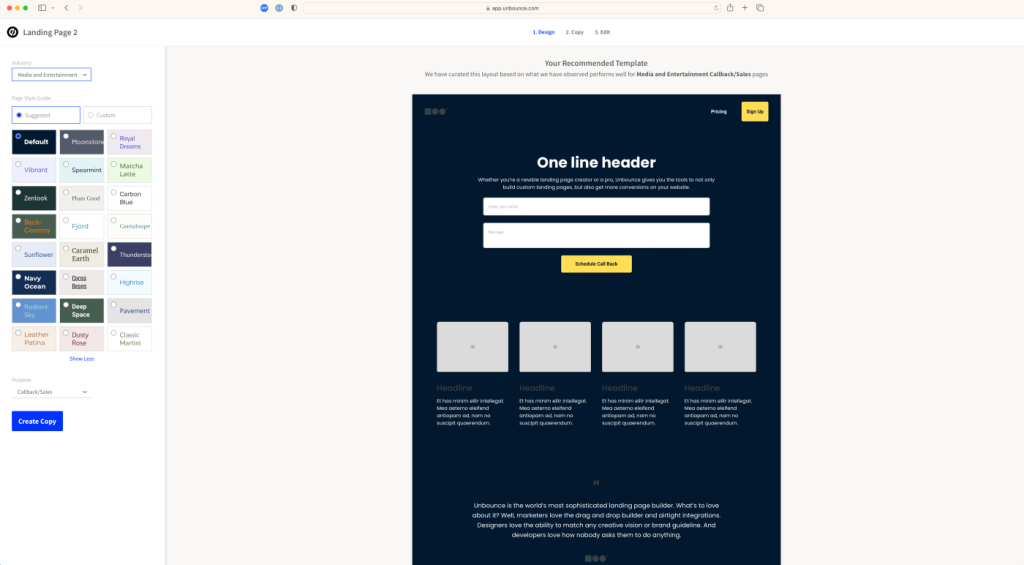
Create a Landing Page for Free
Do you want to create a landing page for free without hiring
a developer or purchasing an expensive page builder? You can build a simple,
professional landing page using the WordPress Block Editor, WordPress.com,
Google Sites or another free website-building platform.
A successful landing page does not require complicated animations or dozens of
sections. It needs a clear offer, persuasive content, trust signals and one
focused call to action.
Quick Answer: How Can You Create a Landing Page for Free?
If you already have a WordPress website, create a new page with the free Block
Editor. Add a headline, benefit-focused introduction, image, service benefits,
testimonials, frequently asked questions and a contact button or form. Remove
unnecessary menus and sidebars, test the page on mobile and publish it using
a short, descriptive URL.
Does “Free Landing Page” Mean Everything Is Free?
A landing-page builder may be free, but a professional custom domain, hosting,
premium integrations, email marketing, payment processing or advanced
analytics may require payment.
If you already own a self-hosted WordPress website, you can create the landing
page with the built-in Block Editor without purchasing an additional page
builder. However, your existing domain and hosting still have their normal costs.
What Is a Landing Page?
A landing page is a focused webpage created to encourage visitors to complete
one primary action. Visitors may arrive through Google Ads, organic search,
social media, email campaigns, QR codes or referral links.
Common landing-page goals include:
- Requesting a quotation
- Booking a consultation
- Downloading a guide
- Joining an email list
- Registering for an event
- Starting a free trial
- Purchasing a product
- Calling or messaging a business
Unlike a general homepage, a landing page usually focuses on one audience, one
offer and one primary call to action.
Choose a Free Landing-Page Platform
| Platform | Suitable For | Important Limitation |
|---|---|---|
| Existing WordPress website | Business and campaign landing pages | Domain and hosting are not free |
| WordPress.com Free | Beginners and simple pages | Uses a WordPress.com address and limits advanced features |
| Google Sites | Simple information and internal campaigns | Limited marketing, SEO and design controls |
| Free builder plan | Testing an idea or prototype | May include platform branding or feature restrictions |
For an established business website, creating the page inside the existing
domain is generally better for branding, analytics and search visibility than
publishing it on an unrelated free subdomain.
1. Define One Conversion Goal
Decide what the visitor should do before designing the page. Avoid presenting
multiple unrelated offers with equal importance.
Examples of focused goals include:
- “Request a Free Website Audit”
- “Book a 30-Minute Consultation”
- “Download the SEO Checklist”
- “Get a Website Development Quote”
- “Start Your Free Trial”
Your headline, page sections, buttons and form should all support the selected
conversion goal.
2. Create a Landing Page with WordPress for Free
If you already have WordPress, the built-in Block Editor allows you to create
pages using content blocks without purchasing a separate page builder.
- Log in to your WordPress Dashboard.
- Open Pages → Add New.
- Enter a clear landing-page title.
- Select a full-width or blank page template if your theme provides one.
- Use Group, Cover, Heading, Image, Columns and Button blocks.
- Add the offer, benefits, proof, FAQs and call to action.
- Preview the page on desktop, tablet and mobile.
- Configure the URL, SEO title and meta description.
- Publish the page after completing the final checks.
If your theme automatically displays a large header, sidebar or unrelated
navigation, choose a suitable full-width template or create a landing-page
template through a supported block theme.
3. Use a Conversion-Focused Page Structure
A practical landing page can follow this order:
- Hero section: A clear headline, short supporting statement
and primary call-to-action button. - Problem section: Explain the challenge experienced by the
target customer. - Solution section: Present the offer as a relevant solution.
- Benefits: Explain what the customer will gain.
- How it works: Present the next steps in a simple sequence.
- Trust signals: Add relevant testimonials, credentials,
results or examples. - Frequently asked questions: Address common objections.
- Final call to action: Repeat the primary action at the end.
4. Write Clear Landing-Page Copy
Your headline should explain the primary result rather than using a vague
description. Compare these examples:
- Vague: “Welcome to Our Digital Solutions”
- Clear: “Get an SEO-Friendly WordPress Website for Your Business”
A useful hero-section formula is:
Get [desired outcome] without [major concern] using [your solution].
For example:
Generate more qualified enquiries with a fast, SEO-friendly business website.
Use short paragraphs, descriptive subheadings and benefit-focused bullet points.
Avoid making unsupported claims such as guaranteed rankings, guaranteed sales
or instant results.
5. Add a Form or Call-to-Action Button
If the platform provides a suitable free form option, request only the
information needed for the next step.
A quotation form may require:
- Name
- Business email
- Phone number
- Required service
- Short project description
Alternatively, direct visitors to a contact page, telephone number, WhatsApp
conversation, booking page or email address.
Use specific button text such as:
- Request My Free Quote
- Book a Consultation
- Download the Free Checklist
- Start My Free Trial
- Discuss My Project
Avoid generic buttons such as “Submit” when a more descriptive label is available.
6. Create a Professional Visual Design
A landing page should feel consistent with your business identity. Use a
limited colour palette, readable typography and enough white space between
sections.
- Use one primary colour for important buttons.
- Maintain sufficient contrast between text and backgrounds.
- Choose high-quality and relevant images.
- Avoid unnecessary sliders and animations.
- Keep the primary button style consistent.
- Use icons only when they improve understanding.
- Avoid large paragraphs and overcrowded sections.
Original product photographs, screenshots or examples are generally more
convincing than unrelated stock images.
7. Optimise the Landing Page for Mobile
Many visitors will open the page on a mobile phone. Test the page on several
screen sizes before promoting it.
Check that:
- The headline remains readable without zooming.
- Buttons are large enough to tap.
- Images do not extend outside the screen.
- Forms are easy to complete.
- Columns stack in a logical order.
- No horizontal scrolling appears.
- The primary action is visible near the top.
- The page loads quickly on mobile internet.
8. Configure SEO, AEO and GEO
A campaign-only landing page may depend primarily on advertising or email.
However, an evergreen landing page can also be optimised for organic search.
Configure the following elements:
- One clear H1 heading
- A descriptive URL
- A unique SEO title
- A persuasive meta description
- Logical H2 and H3 subheadings
- Descriptive image ALT text
- Fast-loading images
- Relevant internal links
- A self-referencing canonical URL
- Appropriate indexation settings
For AEO and GEO visibility, provide a concise answer near the beginning, use
clearly labelled sections, answer genuine customer questions and include
accurate information about the business and offer.
Do not create dozens of nearly identical landing pages by changing only a city
or keyword. Each indexable page should provide distinct value.
9. Add Analytics and Conversion Tracking
Track the action the landing page was designed to generate. Depending on the
campaign, this may include:
- Form submissions
- Phone-number clicks
- WhatsApp clicks
- Booking completions
- Product purchases
- Download-button clicks
- Email subscriptions
Review conversion rate alongside traffic. A smaller number of relevant visitors
can be more valuable than a large volume of visitors who take no action.
10. Test the Landing Page Before Publishing
Complete this checklist before sharing the page:
- The offer is clear within the first screen.
- The main call-to-action button works.
- The contact form sends notifications successfully.
- The thank-you message or page works.
- Phone, email and WhatsApp links are correct.
- The page works on mobile, tablet and desktop.
- Images are compressed.
- Spelling and contact information are correct.
- SEO title and meta description are configured.
- Conversion tracking is tested.
- Privacy information is available where required.
Common Free Landing-Page Mistakes
- Using a vague headline
- Promoting several unrelated offers
- Adding too many navigation links
- Using an excessively long form
- Hiding the call to action at the bottom
- Ignoring the mobile layout
- Using low-quality or unrelated images
- Not testing form delivery
- Making unsupported guarantees
- Publishing without conversion tracking
Frequently Asked Questions
Can I create a landing page for free?
Yes. You can use the WordPress Block Editor on an existing website,
WordPress.com’s free option or Google Sites. Custom domains, hosting and advanced
integrations may involve additional costs.
Can I create a WordPress landing page without a page builder?
Yes. WordPress’s built-in Block Editor provides headings, images, buttons,
columns, groups, cover sections and other blocks that can be used to create a
landing page.
What should a landing page include?
Include a clear headline, value proposition, benefits, supporting proof, one
primary call to action, frequently asked questions and a simple contact or
conversion method.
Do I need a custom domain?
A custom domain is not essential for testing an idea, but it generally provides
stronger branding and credibility for a professional business campaign.
Can a free landing page rank on Google?
It can be eligible for organic search if search engines can crawl it and the
content is useful and original. Rankings depend on competition, website
authority, technical quality and search intent.
How long should a landing page be?
There is no ideal fixed length. Use enough content to explain the offer, answer
objections and help the visitor make a decision without adding unnecessary
sections.
Need a Professional Landing Page?
Free tools are suitable for testing a simple campaign. If you require a custom
design, advanced forms, analytics, integrations, SEO or paid-ad optimisation,
ObeySoft can develop a landing page based on your business goals.
Request a Landing-Page Quote
or WhatsApp
+91 72200 90805.