
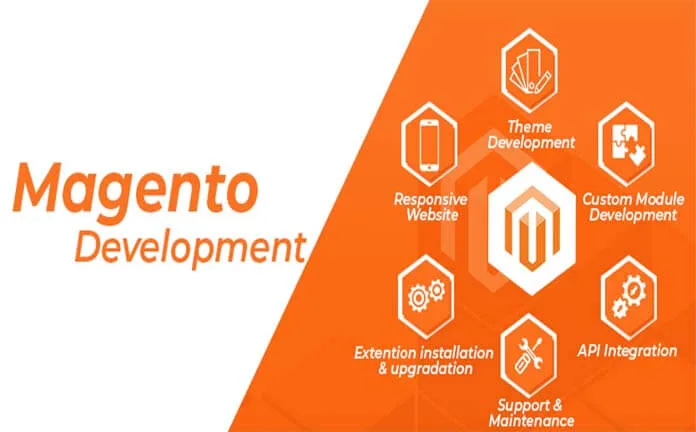
Developing a Magento E-commerce Website
Developing a Magento e-commerce website requires a structured
development process covering server architecture, catalogue modelling, custom
functionality, third-party integrations, performance, security, testing and
production deployment.
Magento Open Source and Adobe Commerce can support complex product catalogues,
multiple stores, international selling and customised business processes.
However, Magento development should follow platform standards to avoid
performance problems, security risks and difficult upgrades.
How Do You Develop a Magento E-commerce Website?
Select the correct Magento edition and version, create separate development,
staging and production environments, install supported dependencies, define
the catalogue architecture, develop a custom theme and required modules,
integrate payments and business systems, complete automated and manual
testing and deploy the approved code through a controlled release process.
Check the Official Compatibility Matrix
Magento releases support specific versions of PHP, Composer, MySQL or
MariaDB, OpenSearch, Redis or Valkey and RabbitMQ. Installing the newest
available server software without checking compatibility can prevent Magento
from installing or operating correctly.
Confirm all dependencies through the
official Adobe Commerce system requirements
.
1. Define the Technical and Business Requirements
Development should begin with a written specification rather than immediately
installing extensions or modifying checkout code.
Document requirements such as:
- B2C, B2B or combined commerce model
- Expected number of products and variations
- Product types and attribute requirements
- Target countries, languages and currencies
- Single-store or multi-store architecture
- Customer groups and pricing rules
- Inventory locations
- Payment and shipping services
- ERP, CRM and accounting integrations
- Marketplace connections
- Migration from an existing platform
- Expected traffic and order volume
Identify which requirements are essential for launch and which can be
introduced in later development phases.
2. Plan the Magento Architecture
A Magento production environment normally uses several connected services:
- Nginx or Apache for web requests
- PHP-FPM for application processing
- MySQL or MariaDB for transactional data
- OpenSearch for catalogue search
- Redis or Valkey for cache and sessions
- Varnish for full-page caching where appropriate
- RabbitMQ for asynchronous message processing where required
- Cron for indexing, emails and scheduled operations
- A CDN for distributed static and media delivery
A small store may run several services on one server. A growing or
high-traffic store may require separate web, database, search, cache and queue
resources.
3. Create Separate Development Environments
Use separate environments for development, staging and production.
- Development: Used for writing and debugging code.
- Staging: Used for integration testing and client approval.
- Production: Used by live customers and configured for
performance and security.
Avoid developing directly on the production server. Store custom code in
version control and use a repeatable deployment process.
Sensitive files, passwords, authentication keys and environment-specific
configuration should not be committed to a public repository.
4. Install Magento Using Composer
Magento is normally installed through Composer using access keys for the
official repository.
A simplified Magento Open Source project command is:
composer create-project \
--repository-url=https://repo.magento.com/ \
magento/project-community-edition \
magento-store
Specify the approved Magento release when creating a production project.
Allowing an uncontrolled version change can introduce dependency or extension
compatibility problems.
After installation, check the application version and mode:
bin/magento --version
bin/magento deploy:mode:show
Use developer mode only in a protected development environment:
bin/magento deploy:mode:set developerNever expose developer-mode error information on a live website because it may
reveal sensitive application details.
5. Design the Product Catalogue Model
Catalogue architecture should be planned before importing products. Poorly
organised attributes can create filtering, performance and integration problems.
Plan the following:
- Product types
- Attribute sets
- Global, website and store-view attribute scope
- Category hierarchy
- Configurable product variations
- Inventory and source structure
- Tax classes
- Customer groups
- Related, upsell and cross-sell products
- Product URL and metadata rules
Use consistent attribute codes and data formats. Changing fundamental catalogue
architecture after thousands of products have been imported can require
significant redevelopment and migration work.
6. Develop a Custom Magento Theme
Create custom storefront code inside the appropriate theme directories. Do not
edit files directly inside Magento core or the Composer
vendor directory.
A Magento theme project can include:
- Layout XML updates
- Templates
- CSS or LESS styling
- JavaScript functionality
- Responsive breakpoints
- Custom icons and images
- Email templates
- Theme configuration files
Build reusable components for product cards, banners, buttons, forms and
content sections. Test the theme with long product names, different image
ratios, sale prices and out-of-stock products.
7. Develop Custom Magento Modules
Business functionality that is not part of the theme should generally be
implemented through a Magento module.
Custom modules can provide:
- Additional checkout fields
- Custom product attributes
- Administrative functionality
- Scheduled data processing
- API endpoints
- ERP or CRM integrations
- Custom shipping calculations
- Order-processing automation
Use Magento’s dependency injection, service contracts, plugins and events
appropriately. Avoid core-file edits and unnecessary class preferences because
they increase upgrade and conflict risks.
After enabling or changing a module, common development commands include:
bin/magento module:status
bin/magento setup:upgrade
bin/magento cache:clean
Run commands in the correct environment and take a backup before applying
database schema or data changes to an existing store.
8. Develop Secure API Integrations
Magento provides REST and GraphQL capabilities for storefronts, mobile
applications and external business systems.
Common integrations include:
- Enterprise resource planning systems
- Customer relationship management platforms
- Warehouse and inventory systems
- Shipping aggregators
- Accounting applications
- Product information management systems
- Marketplaces
- Marketing and email platforms
Authenticate integrations securely and provide only the permissions they need.
Implement logging, retry behaviour, duplicate-event protection and error
reporting.
Large catalogue and inventory updates should be processed in controlled batches
or queues rather than through repeated synchronous requests.
9. Customise Checkout and Payment Processing
Checkout modifications can affect payment, tax, shipping and order creation.
Keep customisation focused and test the complete transaction workflow.
Test:
- Guest and registered checkout
- Successful payments
- Failed and cancelled payments
- Payment callbacks and webhooks
- Shipping calculations
- Tax calculations
- Coupons and cart-price rules
- Order confirmation emails
- Invoices and shipments
- Full and partial refunds
Use maintained payment integrations and avoid storing raw payment-card data on
the Magento server.
10. Develop for Magento Performance
Performance should be considered while writing code rather than addressed only
before launch.
Development practices can include:
- Avoid loading unnecessary product collections.
- Use Magento caching correctly.
- Reduce repeated database queries.
- Use queues for suitable background tasks.
- Optimise product images.
- Remove unused frontend assets.
- Monitor slow database queries.
- Test third-party extension performance.
- Use scheduled indexers on production.
Configure indexers for scheduled operation where appropriate:
bin/magento indexer:set-mode schedule
bin/magento indexer:status
Install and verify Magento cron:
bin/magento cron:install
crontab -l
11. Develop an SEO-Friendly Magento Store
Magento development decisions affect crawling, indexing and organic visibility.
SEO requirements should be included in the technical specification.
Important areas include:
- Clean product and category URLs
- Editable metadata
- Canonical tags
- XML sitemaps
- Robots directives
- Breadcrumb navigation
- Product and offer structured data
- Image ALT attributes
- Internal linking
- Pagination and filtered-navigation handling
- Multi-language hreflang implementation
- Mobile performance
Prevent low-value search, sorting and filter combinations from creating
uncontrolled indexable URLs. Important category and product pages should remain
accessible through crawlable internal links.
AEO and GEO Development Considerations
Product and category content should provide clear information that can be
understood across traditional and AI-assisted search.
Include:
- Accurate product names and specifications
- Clear material and size information
- Price and availability data
- Shipping and return information
- Product FAQs
- Authentic customer reviews
- Consistent brand and company information
- Relevant product structured data
No special AI markup guarantees generative-search visibility. A crawlable
technical foundation and useful, reliable content remain essential.
12. Apply Magento Security Practices
- Use supported Magento and dependency versions.
- Apply current security patches.
- Use a non-default Admin URL.
- Enable two-factor authentication.
- Restrict administrator permissions.
- Protect Composer authentication keys.
- Apply secure file ownership and permissions.
- Restrict database, OpenSearch and cache ports.
- Monitor application and server logs.
- Maintain tested off-server backups.
Review custom modules for input validation, output escaping, access controls,
secure file uploads and safe database operations.
13. Test the Magento Website
A complete testing strategy can include:
- Unit testing
- Integration testing
- API testing
- Functional storefront testing
- Administrative testing
- Payment and shipping testing
- Cross-browser testing
- Mobile-device testing
- Performance and load testing
- Security testing
- User-acceptance testing
Use representative catalogue data in staging. A store may work with ten
products but experience performance or indexing problems with thousands of
products and variations.
14. Deploy Magento to Production
Production deployment should be repeatable and should separate code generation
from live customer traffic where possible.
A deployment may include:
bin/magento maintenance:enable
composer install --no-dev --prefer-dist
bin/magento setup:upgrade
bin/magento setup:di:compile
bin/magento setup:static-content:deploy -f
bin/magento cache:flush
bin/magento maintenance:disable
These commands are a general reference, not a universal deployment script.
The correct process depends on the Magento version, infrastructure and
deployment architecture.
Take a verified backup, review database changes and test the deployment in
staging before using it on production.
Confirm production mode after deployment:
bin/magento deploy:mode:show15. Maintain and Monitor the Store
Post-launch maintenance should cover:
- Magento security and quality updates
- Extension compatibility
- Failed cron jobs
- Indexer status
- Queue consumers
- Payment callback failures
- Application exceptions
- Database and disk growth
- Search performance
- Checkout conversion rate
- Backup restoration tests
Frequently Asked Questions
What skills are required for Magento development?
Magento development can require PHP, object-oriented programming, Composer,
MySQL, XML, JavaScript, HTML, CSS, command-line tools, APIs and Magento’s module
architecture.
How long does it take to develop a Magento website?
A standard implementation may require several weeks. Complex catalogues,
migrations, checkout customisations and business-system integrations can
require several months.
Should developers edit Magento core files?
No. Core-file changes create upgrade and maintenance problems. Custom
functionality should be implemented through themes, modules, plugins, events
and supported extension mechanisms.
Does Magento require separate staging and production websites?
Separate environments are strongly recommended. New code and configuration
changes should be tested before they affect live customers.
Which deployment mode should a live Magento store use?
A live store should normally use production mode. Developer mode is intended
for protected development environments.
Can Magento development be SEO-friendly?
Yes. Clean URLs, metadata controls, canonical tags, structured data, internal
links, sitemap configuration and filtered-navigation management can be included
during development.
Hire a Magento Development Team
ObeySoft provides Magento website development, customisation, migration,
extension troubleshooting, performance optimisation and technical SEO services.
Request a Magento Development Quote
or WhatsApp
+91 72200 90805.