
How to make Shopify website
How to Make a Shopify Website: Complete Step-by-Step Guide for Beginners
Want to create a professional Shopify website and start selling products online? Shopify is an eCommerce platform that helps entrepreneurs and businesses build, customize, and manage online stores without developing every feature from scratch.
Whether you want to sell handmade products, fashion accessories, jewellery, furniture, electronics, beauty products, or digital items, Shopify provides tools to manage products, payments, orders, shipping, and website content.
In this complete guide, ObeySoft explains how to make a Shopify website step by step, from creating your account and choosing a theme to configuring payments, improving SEO, and launching your online store.
What Is a Shopify Website?
A Shopify website is an online store created using the Shopify eCommerce platform.
It allows businesses to display products, organize collections, accept payments through supported providers, manage orders, and communicate with customers.
Shopify provides hosting and built-in commerce features, while its themes and apps allow businesses to customize their stores.
Why Choose Shopify for Your eCommerce Business?
Shopify offers several advantages:
- User-friendly administration dashboard
- Professionally designed store themes
- Product and inventory management
- Online checkout functionality
- Payment provider integrations
- Shipping and tax configuration
- Mobile-responsive themes
- Built-in blogging capabilities
- SEO settings and automatically generated XML sitemaps
- Apps and integrations for additional functionality
Shopify can be suitable for both new businesses and established retailers, although transaction costs, customization requirements, and supported payment options should be reviewed before choosing a plan.
How to Make a Shopify Website in 10 Steps
Quick Answer: To create a Shopify website, sign up for Shopify, enter your business details, select a theme, customize your storefront, add products and collections, create essential pages, connect a domain, configure payments and shipping, optimize SEO, test checkout, and launch your store.
Step 1: Create Your Shopify Account
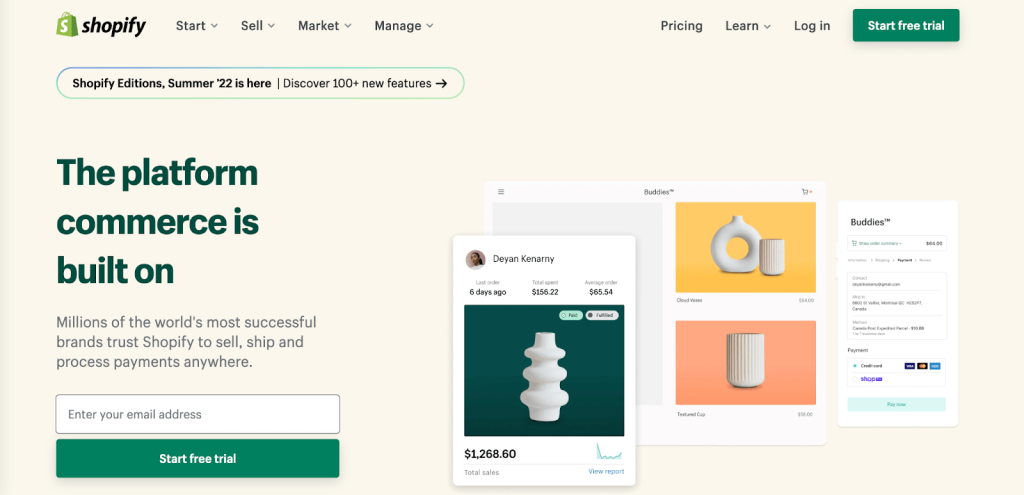
Visit the official Shopify website:
Select the option to start creating a store.
Enter your email address and complete the account registration process.
During setup, Shopify may ask questions about your business, selling experience, and intended sales channels.
After registration, you can access your Shopify admin dashboard.
The dashboard is used to manage products, customers, orders, store design, and business settings.
Step 2: Configure Basic Store Settings
Before designing your store, review your core business information.
In Shopify Admin, navigate to:
Settings
Configure the relevant information, including:
- Store name
- Business name and address
- Store currency
- Time zone
- Contact information
- Customer account preferences
- Checkout settings
Choose your store currency carefully, especially when planning international sales.
Your payment provider availability and supported selling markets depend on your business location and account eligibility.
Step 3: Choose a Shopify Theme
A theme controls the appearance and layout of your online store.
Shopify offers free and paid themes through its theme library.
To choose a theme:
- Open Shopify Admin.
- Navigate to Online Store → Themes.
- Browse available themes.
- Preview a theme before selecting it.
- Add your preferred theme to the store.
- Customize it to match your brand.
When choosing a theme, consider:
- Mobile responsiveness
- Product image presentation
- Collection navigation
- Website loading performance
- Accessibility
- Store branding
- Product filtering options
- Compatibility with required apps
For a new online store, a well-designed free Shopify theme can be a practical starting point.
Step 4: Customize Your Shopify Website Design
Once you have selected a theme, customize your storefront.
Open:
Online Store → Themes → Customize
The available settings depend on the installed theme.
Common customization options include:
Header and Navigation
Add your logo, main menu, search functionality, and relevant navigation links.
Homepage Banner
Use a high-quality banner that communicates your products, brand identity, or primary offer.
Featured Collections
Highlight popular product categories or seasonal collections.
Featured Products
Display selected products and clear calls to action.
Footer
Include contact details, social media links, important policies, and other useful information.
Colors and Typography
Choose a consistent visual identity that matches your business.
A professional Shopify website should be simple to navigate, easy to understand, and optimized for mobile shopping.
Step 5: Add Products to Shopify
Products are the foundation of an eCommerce store.
Navigate to:
Shopify Admin → Products → Add Product
Enter the relevant information:
- Product title
- Product description
- Product images
- Price
- Inventory information
- Product variants
- Shipping details
- Product category and organization
- Search engine listing information
How to Optimize Shopify Product Listings
A useful product listing should answer common customer questions.
For example, a handmade furniture product page may include:
Product Title: Handmade Bone Inlay Bedside Table – Blue Floral Design
Description: Explain the product’s materials, design, dimensions, finish, craftsmanship, and care requirements.
Images: Show the actual product from multiple angles and include accurate detail photographs.
Specifications: Provide measurements, materials, colors, and applicable customization options.
Shipping: Explain processing times, delivery estimates, and applicable restrictions.
Use descriptive product titles rather than repeating keywords unnaturally.
Step 6: Create Shopify Product Collections
Collections help customers browse related products.
For example, a furniture website might create collections such as:
- Bone Inlay Furniture
- Bedside Tables
- Coffee Tables
- Console Tables
- Dining Tables
- Mirrors and Home Décor
To create a collection, navigate to:
Products → Collections
You can organize collections manually or use automated conditions where supported.
Use meaningful collection names and descriptions that help shoppers understand what each category contains.
Collection pages can also target relevant commercial search queries.
Step 7: Create Important Shopify Website Pages
A professional online store needs more than product listings.
Consider creating the following pages.
About Us
Explain your business background, product expertise, and what makes your brand different.
Contact Us
Include genuine contact information and an appropriate enquiry form.
Shipping Policy
Describe available shipping destinations, processing times, delivery estimates, and any applicable charges.
Return and Refund Policy
Explain the conditions, timeframes, and process for returns and refunds.
Privacy Policy
Describe how your business handles customer information according to applicable requirements.
Terms of Service
Explain relevant terms and conditions for purchasing from your store.
FAQ Page
Answer questions about orders, products, delivery, customization, and returns.
Ensure the content is accurate and specific to your business rather than relying entirely on generic templates.
Step 8: Connect Your Custom Domain
A custom domain helps establish your store’s brand identity.
For example:
https://www.yourbrand.com/
You can purchase a domain through Shopify or connect a domain registered with another provider.
To manage domains, open:
Settings → Domains
Follow Shopify’s instructions to connect and verify your domain.
Choose a primary domain so customers can access your preferred website address consistently.
Step 9: Configure Payment Gateways, Shipping, and Taxes
Before launching your Shopify store, configure your checkout and fulfillment settings.
Payment Setup
Open:
Settings → Payments
Choose a payment provider supported for your business location and account.
Available options may vary by country, plan, and provider eligibility.
If you operate from India and sell internationally, confirm that your chosen payment provider supports the required international payment methods and currencies.
Shipping Setup
Open:
Settings → Shipping and delivery
Configure:
- Shipping zones
- Shipping rates
- Product weight and package details
- Delivery options
- Fulfillment locations
Tax Settings
Review:
Settings → Taxes and duties
Configure applicable taxes based on your business obligations and the markets where you sell.
For international eCommerce, consider customs duties, import taxes, product restrictions, and destination-specific regulations.
Consult appropriate tax or legal professionals when necessary.
Step 10: Optimize SEO and Launch Your Shopify Store
Before launching, optimize your website for search engines and customer experience.
Shopify SEO Checklist
Keyword Research
Identify search queries that match your products and collections.
SEO Titles and Meta Descriptions
Use unique descriptions for important product, collection, and informational pages.
Image Optimization
Compress images appropriately and use descriptive alt text.
Internal Linking
Connect related products, collections, and blog posts.
XML Sitemap
Shopify automatically creates an XML sitemap, commonly accessible at:
https://yourdomain.com/sitemap.xml
Submit your sitemap through Google Search Console.
Mobile Optimization
Test your store on different devices and screen sizes.
Website Performance
Avoid unnecessary apps and oversized media that slow down your storefront.
Checkout Testing
Complete appropriate test orders and verify payment, order notification, and fulfillment workflows.
After confirming your store is functioning correctly, review any storefront password restrictions and launch your website.
How Much Does It Cost to Make a Shopify Website?
The cost of building a Shopify website depends on your subscription plan, design requirements, apps, products, and professional services.
Typical cost components include:
| Component | Description |
|---|---|
| Shopify Subscription | Recurring platform charges |
| Domain Name | Annual or recurring domain registration |
| Theme | Free or paid storefront design |
| Apps | Optional subscription or usage-based charges |
| Payment Processing | Payment provider transaction fees |
| Professional Development | Design, setup, integrations, and customization |
| Marketing | SEO, advertising, email, and other promotions |
Shopify plan prices and offers vary by country and change over time.
Check the official pricing page for current details:
https://www.shopify.com/pricing
How Long Does It Take to Build a Shopify Website?
The development timeline depends on the size and complexity of the store.
A small store using a ready-made theme and prepared product information may be completed relatively quickly.
A larger eCommerce website with hundreds of products, custom functionality, multiple markets, and complex integrations typically requires more planning and testing.
A suggested development sequence is:
Planning: Define products, customers, and requirements.
Design: Customize the theme and navigation.
Product Setup: Add listings and collections.
Configuration: Set up domains, payments, shipping, and policies.
Testing: Verify responsiveness, checkout, and order workflows.
Launch: Make the website publicly available.
Shopify SEO, AEO and GEO Optimization
A successful Shopify website should be easy for shoppers to use and accessible to search engines.
What Is Shopify SEO?
Shopify SEO involves improving product pages, collections, technical accessibility, content, and site structure to help search engines understand your store.
What Is Shopify AEO?
Answer Engine Optimization focuses on creating clear responses to common customer questions.
For example:
- What materials are used in the product?
- Can the product be customized?
- What are the shipping options?
- How long does delivery take?
- What is the return policy?
Answer these questions accurately on relevant pages.
What Is Shopify GEO?
Generative Engine Optimization involves improving content clarity, credibility, and accessibility for discovery through AI-powered systems.
AI-related search experiences may use website content, search indexes, and other information sources.
To strengthen your store’s foundations:
- Publish accurate product specifications.
- Keep product prices and availability updated.
- Use relevant product structured data.
- Provide clear shipping and return information.
- Write helpful descriptions.
- Use original product photography.
- Maintain consistent brand information.
- Publish useful educational content.
No method guarantees placement in Google AI Overviews, ChatGPT, or Perplexity.
Shopify vs WordPress WooCommerce: Which Is Better?
| Feature | Shopify | WooCommerce |
|---|---|---|
| Hosting | Included with platform | Arranged separately |
| Store management | Integrated dashboard | WordPress dashboard |
| Customization | Themes, apps, and supported code | Themes, plugins, and custom code |
| Maintenance | Much platform infrastructure managed by Shopify | More hosting and software management |
| eCommerce tools | Built into commerce platform | Added through WooCommerce |
| Pricing | Subscription-based | Hosting, plugins, and development costs |
Shopify can be suitable for businesses that prefer a hosted eCommerce platform.
WooCommerce may be suitable for businesses that want more direct control over hosting and WordPress-based customization.
The right choice depends on your budget, technical needs, and business goals.
Common Mistakes to Avoid When Creating a Shopify Website
Avoid these common problems:
- Choosing an unsuitable theme
- Uploading low-quality product images
- Writing duplicate product descriptions
- Installing unnecessary apps
- Creating confusing navigation
- Ignoring mobile shoppers
- Publishing incomplete shipping policies
- Failing to test checkout
- Ignoring SEO titles and descriptions
- Launching without reviewing payment settings
- Using unrealistic delivery promises
- Neglecting ongoing website maintenance
A successful Shopify store needs a clear customer experience and reliable business processes.
Frequently Asked Questions
Can I create a Shopify website without coding?
Yes. Shopify provides a theme editor and built-in store management tools that allow users to create many online stores without writing code. Advanced customizations may require development skills.
Is Shopify good for beginners?
Shopify offers a guided setup process, themes, and integrated commerce tools, making it accessible to many beginners. However, business setup, payments, taxes, and product management still require planning.
Can I use my own domain on Shopify?
Yes. You can buy a domain through Shopify or connect a compatible domain purchased through another registrar.
Does Shopify provide hosting?
Yes. Shopify includes hosting for stores operating on its platform.
Is Shopify good for SEO?
Shopify supports editable SEO metadata, XML sitemaps, responsive themes, and structured website content. Search performance still depends on content quality, technical configuration, competition, and other factors.
Can I sell internationally with Shopify?
Yes, Shopify provides tools for international commerce. Available currencies, payment methods, markets, and features depend on your location, plan, and payment providers.
Can Shopify websites appear in AI-powered search?
Shopify website content can be discovered through relevant search and AI systems, depending on the systems’ crawling, indexing, and sourcing processes. Visibility is not guaranteed.
Should I hire a Shopify developer?
A professional Shopify developer may be useful for custom designs, app integrations, product migrations, performance improvements, or complex eCommerce requirements.
Can I migrate an existing website to Shopify?
Yes. Product, customer, and other store data can often be migrated, although the process depends on the previous platform, available export formats, and required features.
Hire a Professional Shopify Website Developer at ObeySoft
Looking to create a professional Shopify website for your business?
ObeySoft provides Shopify website design, store setup, theme customization, product uploading, SEO optimization, eCommerce integrations, and website development services.
Based in Jaipur, India, we support businesses targeting India, the USA, UK, Canada, Australia, and other international markets.
Our Shopify development services can include:
- Custom Shopify store setup
- Shopify website design
- Theme installation and customization
- Product and collection configuration
- SEO-friendly product listings
- Payment gateway integration
- Website speed optimization
- Mobile-responsive storefront design
- Shopify store maintenance
- Website migration assistance
Whether you’re starting your first store or improving an existing eCommerce website, ObeySoft can help you plan and implement a solution aligned with your business requirements.
Visit: https://www.obeysoft.com/
Conclusion
Making a Shopify website involves more than selecting a theme and uploading products.
A successful online store requires thoughtful planning, professional presentation, clear navigation, reliable payments, accurate shipping information, and search-engine-friendly content.
By following the steps in this guide, you can build a Shopify website that supports your products, customers, and long-term business goals.
Start with a clear store structure, focus on user experience, and optimize your website for both customers and search engines.
Official Resources
- Shopify Getting Started Guide: https://help.shopify.com/en/manual/intro-to-shopify/initial-setup
- Shopify Themes: https://help.shopify.com/en/manual/online-store/themes
- Shopify SEO Guide: https://help.shopify.com/en/manual/promoting-marketing/seo
- Shopify Sitemap Guide: https://help.shopify.com/en/manual/promoting-marketing/seo/find-site-map