
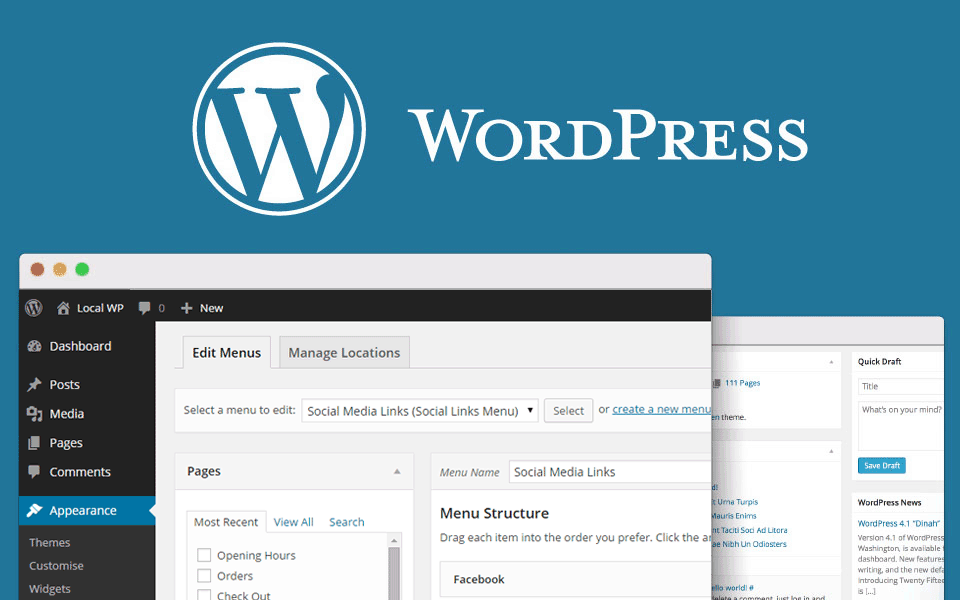
How to Make WordPress Website Step by Step
How to Make a WordPress Website Step by Step: Beginner’s Guide 2026
Want to create a professional website without advanced coding skills? WordPress is an open-source content management system (CMS) that allows you to build business websites, blogs, portfolios, and online stores.
In this step-by-step guide from ObeySoft, you’ll learn how to make a WordPress website, from purchasing a domain to designing pages, improving SEO, and launching your website.
How to Make a WordPress Website in 10 Steps
Quick Answer: To make a WordPress website, register a domain name, purchase hosting, install WordPress, choose a responsive theme, customize your design, create essential pages, install necessary plugins, configure SEO, test functionality, and launch your website.
Step 1: Choose a Domain Name
Your domain name is your website’s online address.
For example: www.yourbusiness.com
Choose a domain that is easy to remember, relevant to your brand, and simple to spell.
Common extensions include .com, .in, .co.uk, and .com.au.
Step 2: Purchase Web Hosting
Web hosting stores your WordPress website files and database.
Choose hosting with:
- WordPress-compatible server software
- SSL/HTTPS support
- Reliable performance
- Website backups
- Security features
- Responsive technical support
Shared hosting can work for smaller websites, while managed WordPress or cloud hosting may better suit more demanding projects.
Step 3: Install WordPress
Many hosting providers include a WordPress installation tool.
- Log in to your hosting control panel.
- Open the WordPress installer.
- Select your domain.
- Configure your website name.
- Create secure administrator credentials.
- Complete the installation.
- Visit
yourdomain.com/wp-admin/to access the dashboard.
Use a strong password and enable multifactor authentication if available.
Step 4: Configure Important WordPress Settings
After installation, open the WordPress dashboard.
Review:
- Settings → General: Website title, tagline, timezone, and email.
- Settings → Permalinks: Choose descriptive URL structures.
- Settings → Reading: Configure your homepage and search visibility.
- Settings → Discussion: Configure comments if needed.
For a new business website, a Post Name permalink structure is often convenient.
Step 5: Install a WordPress Theme
WordPress themes control your website’s appearance.
Popular options include Astra, Kadence, GeneratePress, and WordPress block themes.
To install a theme:
- Go to Appearance → Themes.
- Select Add New Theme.
- Search for your preferred theme.
- Click Install.
- Activate the theme.
- Open its customization settings.
Choose a theme that is responsive, maintained, accessible, and compatible with your requirements.
Step 6: Design Your Website
A professional website needs clear navigation and consistent branding.
Customize your:
- Logo and header
- Homepage layout
- Navigation menus
- Brand colors
- Typography
- Buttons and calls to action
- Footer
- Mobile layout
Use the WordPress block editor, a compatible page builder, or your theme’s design tools.
For a service business, the homepage should quickly explain what the company offers and how customers can get in touch.
Step 7: Create Essential Pages
Most business websites need the following pages.
Home: Introduce your business and services.
About Us: Explain your expertise, background, and business values.
Services: Describe your services and their benefits.
Contact Us: Include accurate contact details and a working enquiry form.
Blog: Publish helpful educational content.
Privacy Policy: Explain your actual data-handling practices.
To add a page, navigate to Pages → Add New, add your content, preview it, and publish.
Step 8: Install Necessary Plugins
Plugins add features to WordPress.
| Website Requirement | Example Plugin |
|---|---|
| SEO | Rank Math |
| Contact Forms | WPForms |
| Online Store | WooCommerce |
| Backups | UpdraftPlus |
| Security | Wordfence |
| Performance | LiteSpeed Cache, where compatible |
Avoid installing unnecessary plugins. Keep extensions updated and choose reputable developers.
Step 9: Optimize Your Website for SEO, AEO and GEO
A successful website should be easy for users and search engines to understand.
Search Engine Optimization (SEO) helps improve search accessibility, relevance, and organic visibility.
Answer Engine Optimization (AEO) focuses on providing direct, useful answers to common questions.
Generative Engine Optimization (GEO) aims to improve content clarity, credibility, and accessibility for AI-powered discovery.
Implement these best practices:
- Research relevant keywords.
- Write unique page titles and meta descriptions.
- Organize content with descriptive headings.
- Create original, helpful articles.
- Add internal links between related pages.
- Optimize images and alt text.
- Publish accurate business information.
- Use suitable structured data.
- Maintain an XML sitemap.
- Verify your website in Google Search Console.
These practices can support discoverability but cannot guarantee Google rankings or citations in AI search results.
Step 10: Test and Launch Your Website
Before launching, check:
- Mobile and desktop responsiveness
- Navigation and internal links
- Contact forms and email delivery
- SSL certificate
- Website loading performance
- Image quality and accessibility
- SEO titles and metadata
- Sitemap accessibility
- Search engine indexing settings
- Backup and security configuration
Use Google PageSpeed Insights and Search Console to monitor technical issues after launch.
How Much Does It Cost to Create a WordPress Website?
WordPress.org software is free and open-source, but a public website usually requires a domain and hosting.
Additional expenses may include premium themes, paid plugins, professional development, maintenance, and marketing.
The total cost depends on the complexity of your website and the features you need.
Frequently Asked Questions
Can I create a WordPress website without coding?
Yes. WordPress themes, the block editor, and compatible plugins allow users to create many websites without coding. Advanced custom functionality may require a developer.
Is WordPress good for SEO?
Yes. WordPress supports customizable URLs, metadata, sitemaps, structured content, and SEO plugins. Actual search performance depends on implementation, content, and competition.
How long does it take to make a WordPress website?
A basic website may take several days to a few weeks. Larger websites with complex integrations and custom design can require more time.
Can I create an eCommerce website with WordPress?
Yes. WooCommerce adds product management, shopping carts, checkout, and supported payment integrations to WordPress.
Which WordPress theme is best for beginners?
Astra, Kadence, GeneratePress, and suitable block themes are options. The best choice depends on your design and functionality requirements.
How can I improve WordPress website speed?
Use suitable hosting, compress images, implement compatible caching, remove unnecessary scripts, and monitor Core Web Vitals.
Can WordPress websites appear in ChatGPT and Google AI Overviews?
WordPress content may be discovered and referenced by eligible search and AI systems. Clear, credible, accessible content can support discoverability, but inclusion is not guaranteed.
Professional WordPress Website Development Services by ObeySoft
Looking to build a professional, fast, responsive, and SEO-friendly WordPress website?
ObeySoft, based in Jaipur, India, offers WordPress website development, website redesign, WooCommerce development, technical SEO, website optimization, and digital marketing services.
We help businesses targeting India, the USA, UK, Canada, Australia, and other markets build websites aligned with their requirements.
Visit ObeySoft: https://www.obeysoft.com/
Conclusion
Learning how to make a WordPress website step by step begins with the right foundation.
Choose a reliable domain and hosting provider, install WordPress, design useful pages, add essential functionality, configure SEO, test your website, and maintain it regularly.
Focus on user experience, accurate content, security, and long-term website performance.
A well-planned WordPress website can become an effective platform for your business’s online presence and growth.
Helpful Resources
- WordPress Documentation: https://wordpress.org/documentation/
- WordPress Getting Started: https://wordpress.org/documentation/article/get-started-with-wordpress/
- Google SEO Starter Guide: https://developers.google.com/search/docs/fundamentals/seo-starter-guide
- Google Search Console: https://search.google.com/search-console/